
What is HTML?

I've already addressed some aspects of HTML on an earlier blog post, which I recommend you to read if you're interested in the processes of web and design. This blog post will further address points from that post, which is more about HTML rather than design.
HTML is a series of code written to develop a website. Hypertext Markup Language the computer language devised to allow web creation. Basic to learn, but powerful in the functions as it allows the user to create complex and functional websites. I learned HTML in my first year of college, and as you can imagine, it was quite difficult to get the hang of all its functionality. The basics of HTML can only get you so far, as it can be really in depth when you take into account CSS, which deals with designing the how the code looks for your website. I think you can only start to understand HTML when you have created a functional website.
Every HTML page uses the same <html>,<head> and <body> tags. This type of structure acts as the basis of the website layout, which is demonstrated below:
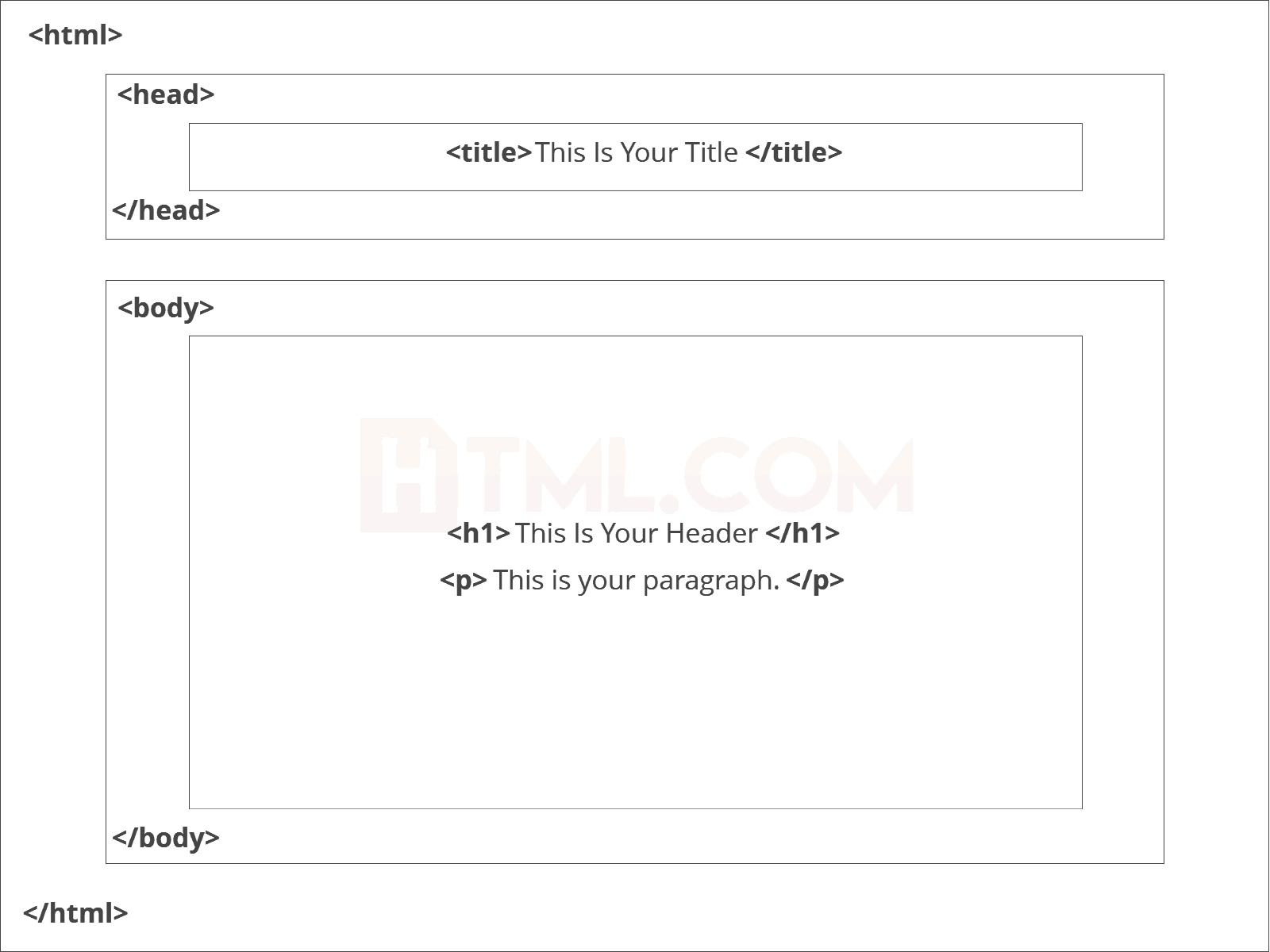 |
| Source: https://html.com/ |
Once you understand what the tags stand for and their uses, you can begin to attempt to create a web page. For many beginners, some may start with putting together a page with all the tags listed above. Below is a beginner's exercise of HTML done in my class. It helps in understanding the uses of many tags, but unfortunately doesn't quite give you an insight of a real web page, but instead gives you an insight on how some of these html elements work.
  |
| A Beginner's Journey to HTML |
The code above represents some of the most basic use of different tags. Let me explain them to you one by one.
<head> - This tag is put at the top of the page, between the <html> and <body> tag. The use of this tag is to usually link CSS stylesheets, define character sets and scripts. It is also where you put your <title> tag, which indicates the title of your page on the browser's tabs.
 |
| <title>My Coding Journal</title> |
<body> - This tag covers everything for your page's web content, including hyperlinks, images, tables, text, etc. Here are some tags that are used in the body:
- <h1> - Headings
- <img src="#"> - Images
- <p> - Paragraphs
- <div> - Divisions or Sections
- <ul> - Lists
 |
| Few examples of body tags |
<footer> - The footer usually comes after closing the body tag, and it is located at the very bottom of your page. The footer usually contains copyright information, contact information and social media icons.
 |
| Example of a footer |
The real challenge comes from incorporating what you've learned from all those elements you learned. A lot of mistakes are generally made when trying to code for the first time, and with HTML, sometimes even the littlest of mistakes can break your web page completely. Luckily, there are tools to help greatly with coding. Such a tool is the code validator website, which pinpoints errors and suggests solutions to your code. Another great tool is to utilize W3Schools, which is a web developing guide that teaches you almost every form of coding. Their online guides have been of great use whenever I have struggled adding in a certain code. For example, they teach you how to center images, which is a question many beginners ask in coding.
That'll be all for today's blog, which I hope helped you in some way!

Hi Brian, after reading your post, I feel like I have a better understanding of all the basics of HTML, thank you for breaking down a HTML page into clear elements which make it much easier to understand. I totally agree with you that the challenge comes with incorporating all the different elements that you have learned from HTML and I will definitely start using the W3 schools code validator website to check my code since I often run into this problem where I can't seem to identify where my coding mistake is coming from!
ReplyDeleteReally well done!
Emma